 Rundeck
Three fingers, like the real thing.
Swipe across to change desktop. Swipe up for Mission Control and down for App Exposé, with a firm knock when it lands.
A trackpad you can feel, every app one tap away, a remote on your wrist, and the coding agents on your Mac answering to you. Move the pointer across this page to try the pad.
On the iPhone
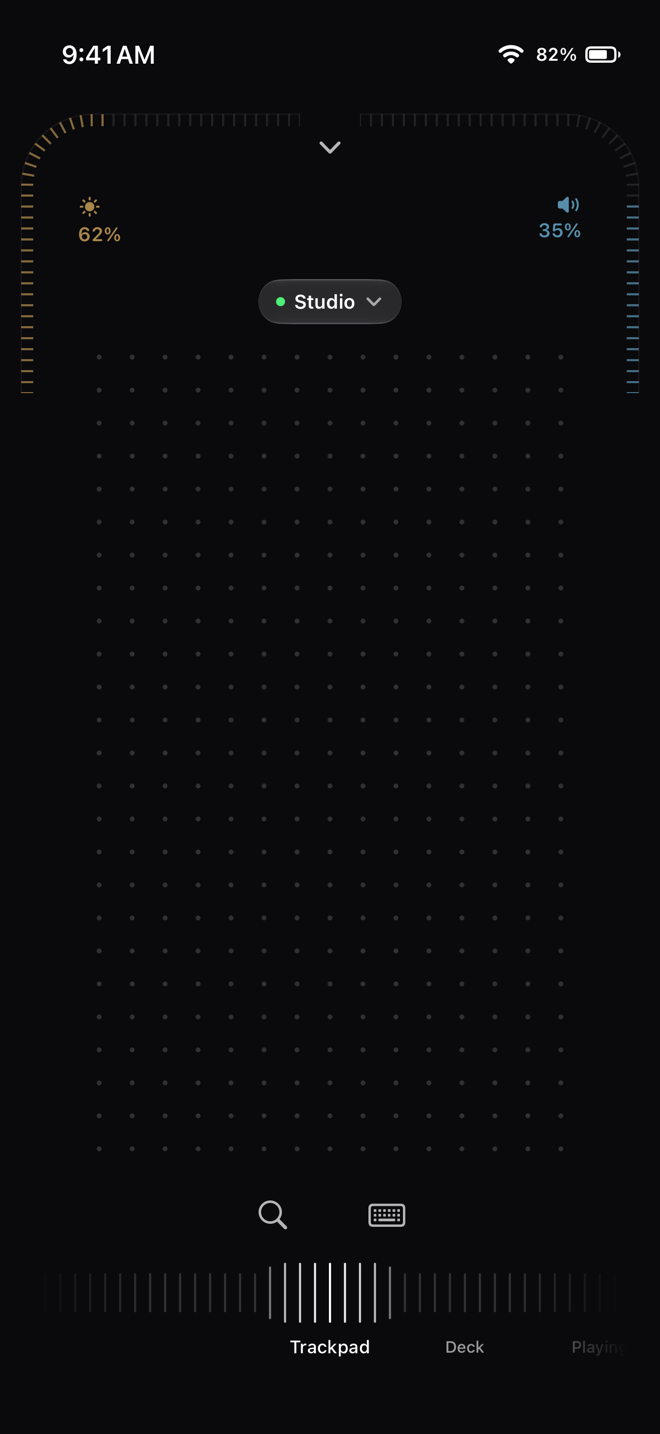
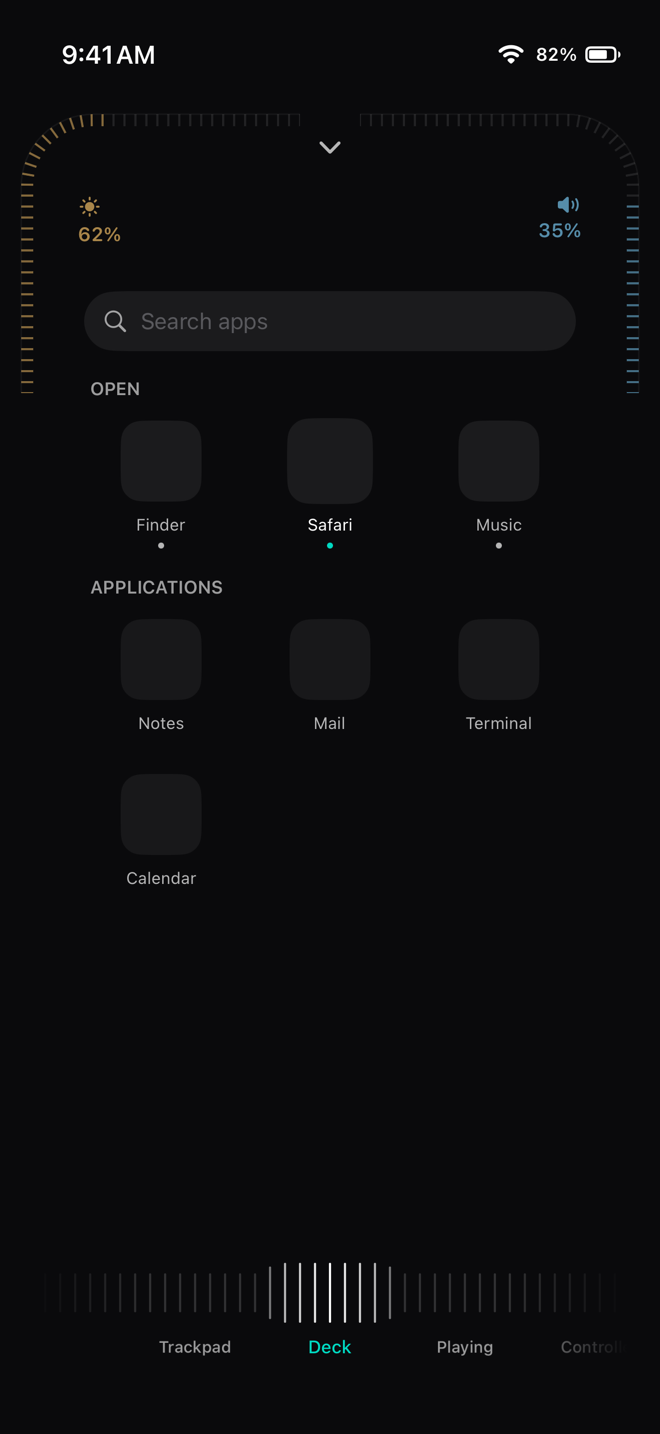
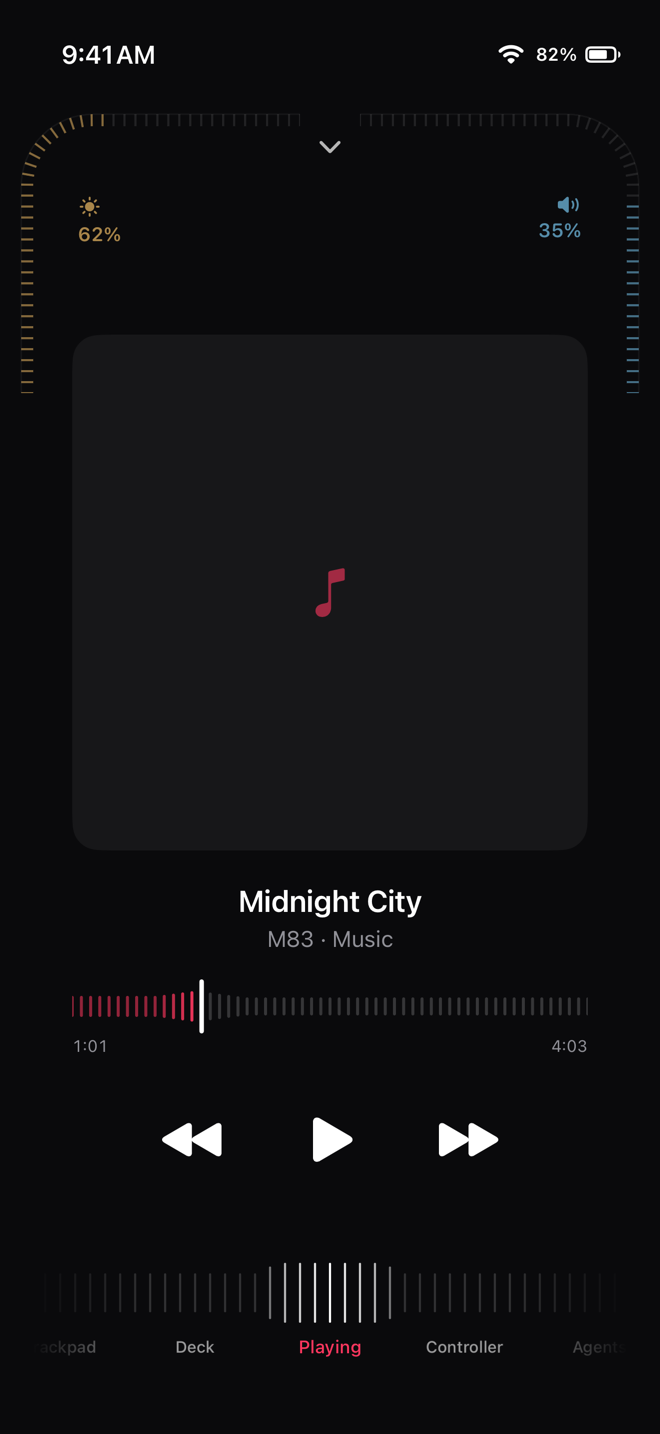
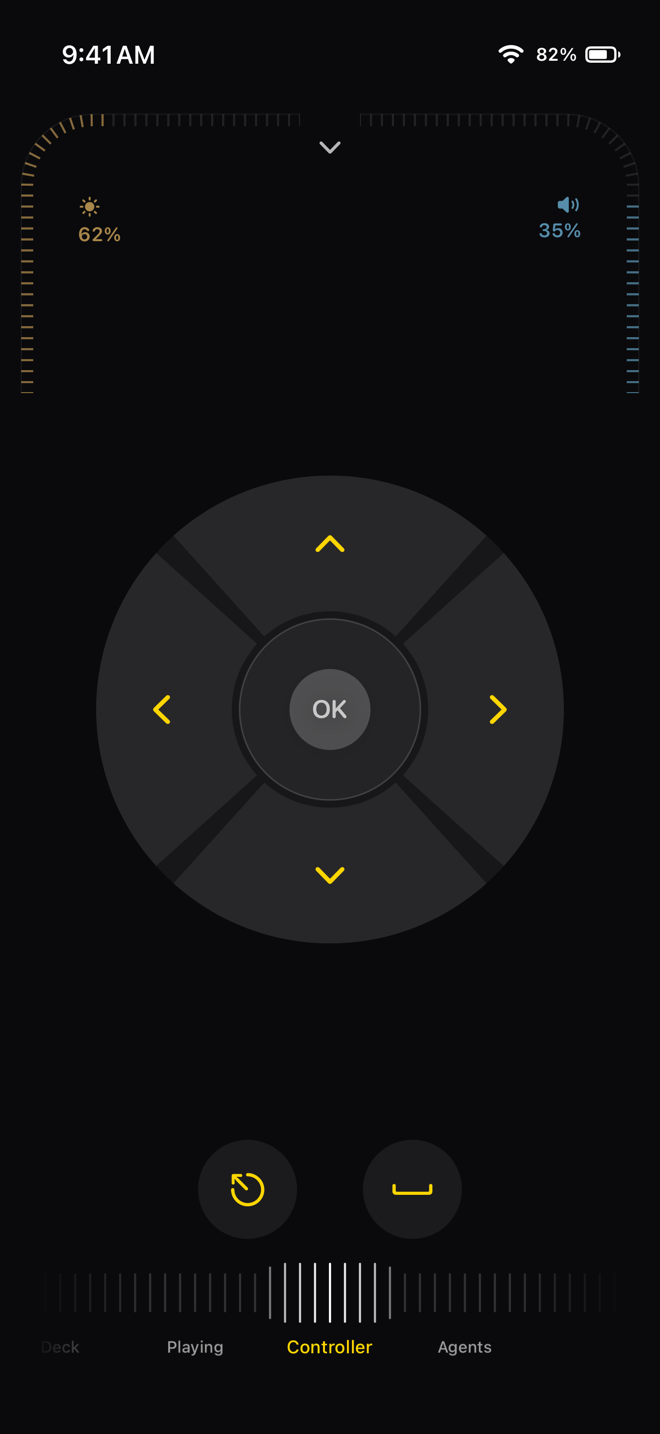
A scale runs along the bottom of the phone. Scrub it to change page, reorder the pages in Settings, or leave out the ones you do not use. Brightness and volume ride the two arcs by the camera on every page.
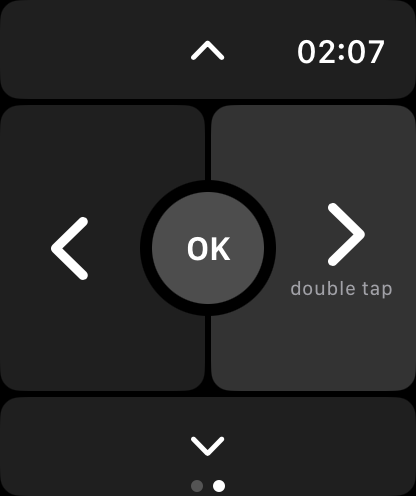
On Apple Watch
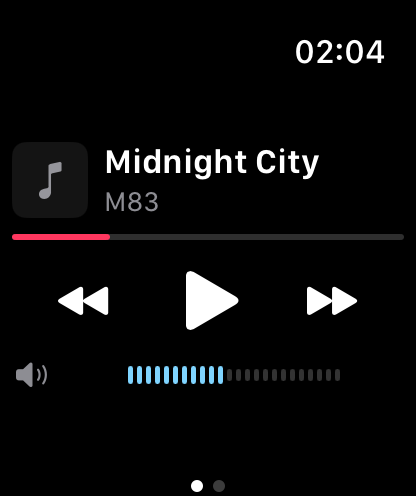
The watch reaches the Mac through your iPhone, which can stay in your pocket.
The details
Swipe across to change desktop. Swipe up for Mission Control and down for App Exposé, with a firm knock when it lands.
Two arcs in the corners by the camera, with detents that lighten as you sweep faster.
A round glass follows the pointer on the Mac's own screen, for small targets from across the room.
npx wrangler deploy
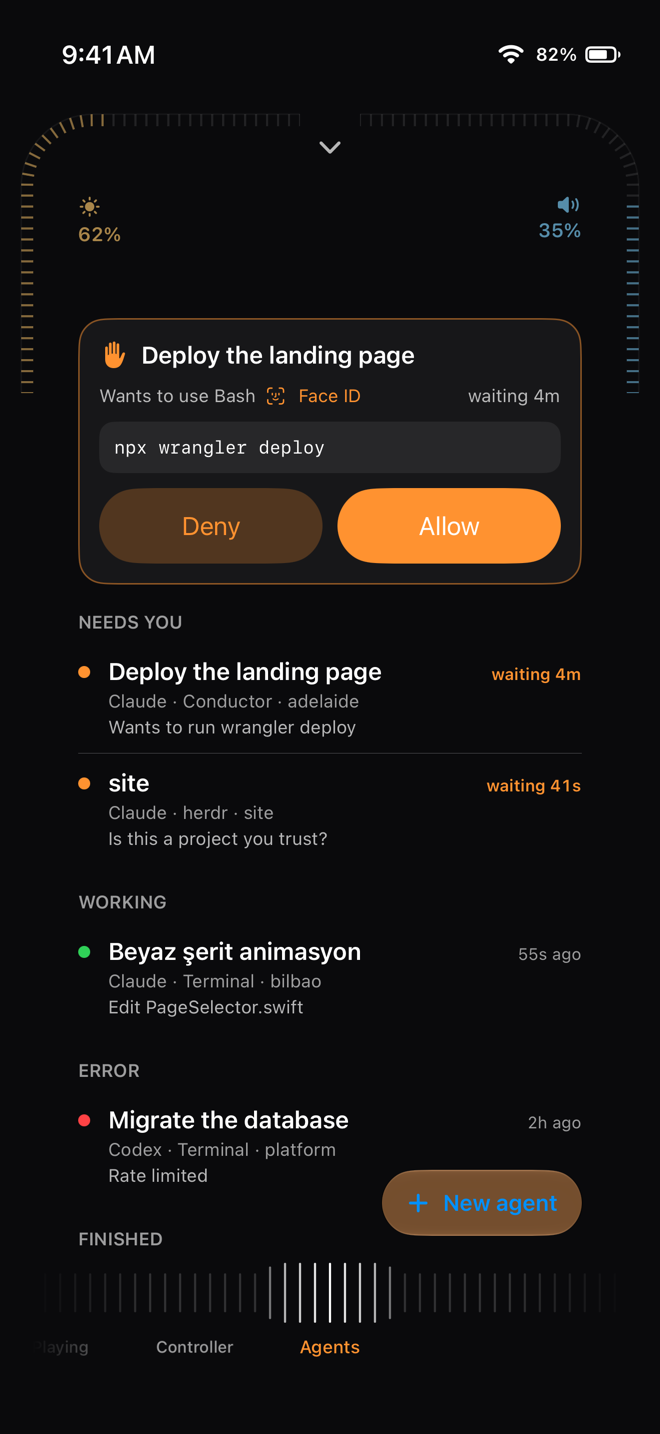
Commands that delete, overwrite or deploy ask for Face ID on the phone, or the passcode on the watch, before they run.
Pair them all and the pointer crosses from one screen to the next at their shared edge.
On the Mac
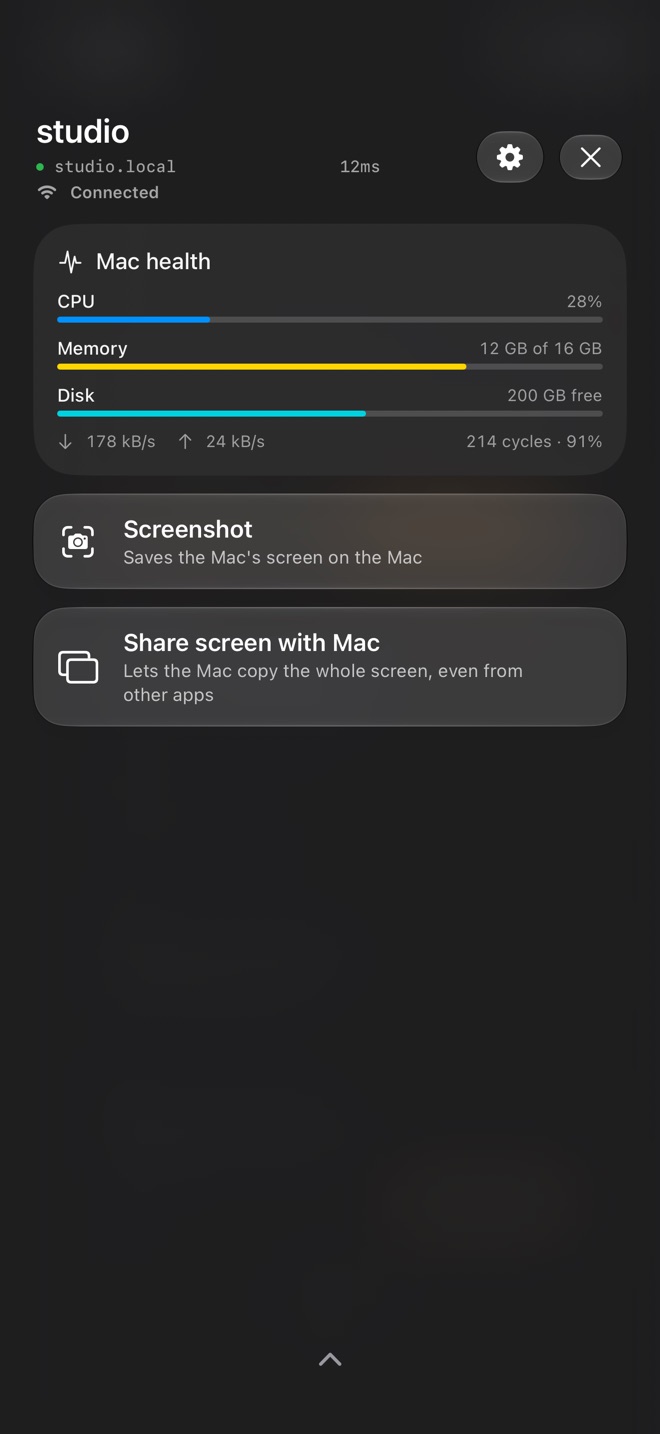
Rundeck Server is what your iPhone talks to. It stays out of the Dock, uses almost nothing while you are not looking, and is free.
Free, and Pro
Trackpad, Deck, Playing, Controller, brightness and volume, and the pull-down panel — for one Mac, with no time limit.
Coding agents on your phone, the Apple Watch app, and as many Macs as you have, with the pointer crossing between them.
Pay once and Pro is yours on every iPhone signed in to your Apple Account. No subscription to cancel. Got a code from a friend? Redeem it in Settings.
Set up in a minute
Download Rundeck for Mac and leave it running in the menu bar. It asks for Accessibility so your taps can move the pointer.
Open Rundeck on your iPhone and choose your Mac. Both screens show the same four digits. Allow it on the Mac. The watch app comes with the iPhone app.
That iPhone now has a key of its own; remove it any time from the Mac's settings. Or skip all of this and try the demo first — every page works against a simulated Mac.
Home and away
Your phone finds your Mac on the local network and talks to it directly, with a key that belongs to that phone alone.
Put both on Tailscale and give the phone your Mac's Tailscale name. Rundeck dials it whenever the Mac is not on the same network. No servers of ours in between.
The watch asks your iPhone, which carries the press on to the Mac by whichever route it has.
Questions
Yes. Rundeck turns your iPhone into a trackpad with real haptics: two fingers scroll, a two-finger tap right-clicks, and three-finger swipes change desktops and open Mission Control. It also gives you a full keyboard that types into any Mac app.
No. There is no account and no sign-up. You pair your iPhone with your Mac once with a four-digit code, and they talk directly over your Wi-Fi.
The remote is free with no time limit: Trackpad, Deck, Playing, Controller, brightness and volume, and the pull-down panel, for one Mac. Rundeck Pro adds coding agents, the Apple Watch app and several Macs for a single purchase, yours to keep — no subscription. The Mac app is free.
With Rundeck Pro, yes. Every Claude Code and Codex session on your Mac shows up on your iPhone, sorted by what needs you. Allow or deny what an agent wants to run, tell it what to do next, and confirm anything risky with Face ID.
Yes, with Rundeck Pro. The watch app has a slide remote that fills the whole face, and the watch's double tap moves to the next slide in Keynote, PowerPoint or a browser deck. The Digital Crown turns your Mac's volume.
Rundeck works on your local network and has no servers of its own. To reach your Mac from anywhere, put both devices on Tailscale and give Rundeck your Mac's Tailscale name.
An iPhone with iOS 26 or later, a Mac with macOS 26 or later (Apple silicon or Intel), and the free Rundeck Mac app from rundeck.app/mac. The Apple Watch app needs watchOS 26.
Rundeck has no account, no sign-in and no analytics in the apps. Each iPhone gets its own key, and the Mac keeps only a fingerprint of it.
Stays between your devices