 Rundeck
Apple Watch presentation remote
Next slide? Double tap.
Rundeck puts a slide remote on your Apple Watch. The whole face is the pad, and the watch's double tap moves your Keynote, PowerPoint or browser deck forward — no clicker in your hand.

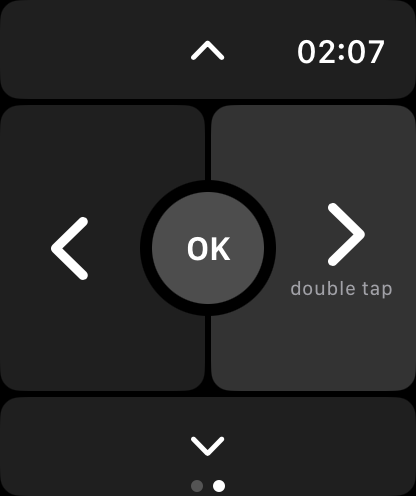
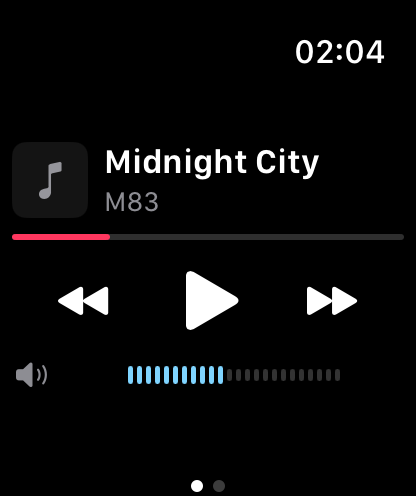
The face is the remote
The screen is cut in four: left and right are the big halves for back and next, up and down are strips, and OK sits where they meet. A thumb finds a half without looking.
Double tap for the next slide
On Apple Watch Series 9, Ultra 2 and later, the watch's double tap gesture is the right arrow — the next slide in Keynote, PowerPoint, Google Slides or any browser deck. Your other hand stays free.
The crown is the volume knob
Swipe back to Playing and the Digital Crown turns your Mac's volume, clicking through the same detents as the iPhone's arc. Double tap plays and pauses.
Through your iPhone
The watch reaches the Mac through your iPhone, which can stay in your pocket. Apple Watch is part of Rundeck Pro, weekly or yearly with a free week.
Questions
Which Apple Watch models support double tap?
Apple Watch Series 9, Apple Watch Ultra 2 and later. On other models, tap the right half of the remote.
Does it work with PowerPoint and Google Slides?
Yes. The remote sends the arrow keys, so it works with any presentation that is the front window on the Mac.
Do I need my iPhone nearby?
Yes. The watch talks to your iPhone, which carries each press to the Mac. The iPhone app does not need to be open.