 Rundeck
iPhone trackpad for Mac
Your iPhone is a trackpad now.
Rundeck turns the iPhone in your hand into a trackpad and keyboard for your Mac — with haptics you can feel, the gestures you already know, and nothing to sign up for.

A trackpad you can feel
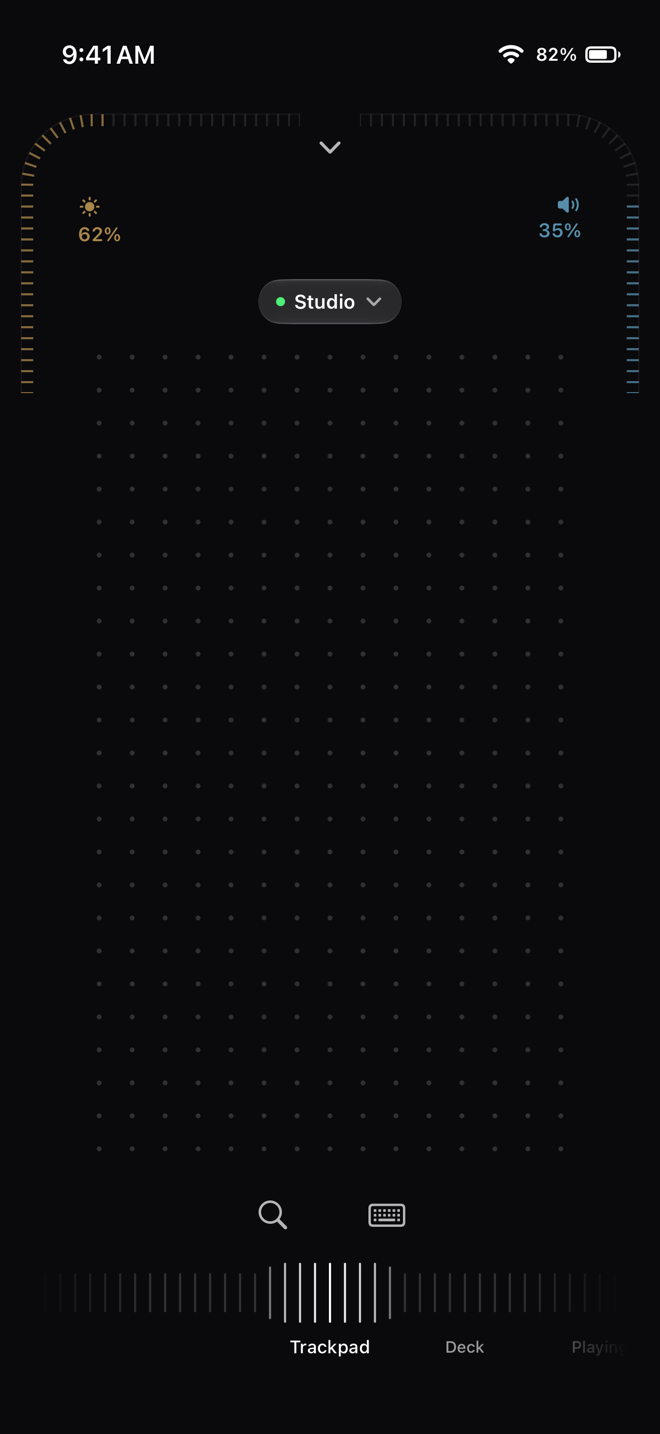
The page is a field of dots that lean toward your finger, and the Taptic Engine gives the glass a grain that sharpens as you move faster — so you feel the pointer moving without looking at the phone. Pointer acceleration follows your speed, like a real Magic Trackpad.
Every gesture you already know
Two fingers scroll, pixel by pixel. A two-finger tap is a right click. Three-finger swipes change desktops, open Mission Control and App Exposé, with a firm haptic knock when they land. A double tap uses your Mac's own double-click timing.
A keyboard that types anywhere
Open the keyboard and type into any Mac app — it works in every app, Terminal included. Or switch to live editing, and the phone shows the Mac's focused text field so you can correct it in place. Escape, Tab, arrows and shortcuts are one tap away.
No account, no cloud
Your iPhone talks straight to your Mac over your Wi-Fi with a key of its own. Install the free Mac app, pair once with a four-digit code, and the trackpad is yours. The remote is free with no time limit.
Questions
Is the iPhone trackpad free?
Yes. The trackpad, keyboard, Deck, Playing and Controller are free for one Mac with no time limit.
Does it work with any Mac?
Any Mac with macOS 26 or later, Apple silicon or Intel, running the free Rundeck Mac app.
Does it need Bluetooth?
No. Rundeck uses your Wi-Fi network; the iPhone and the Mac just need to be on the same network.